2.2.5 Accounts
Accounts manages user logins for your Pantograf instance: create accounts, set expiry, authorize projects, and review visit activity. Administrators use it to control who can open private projects and editor tools.
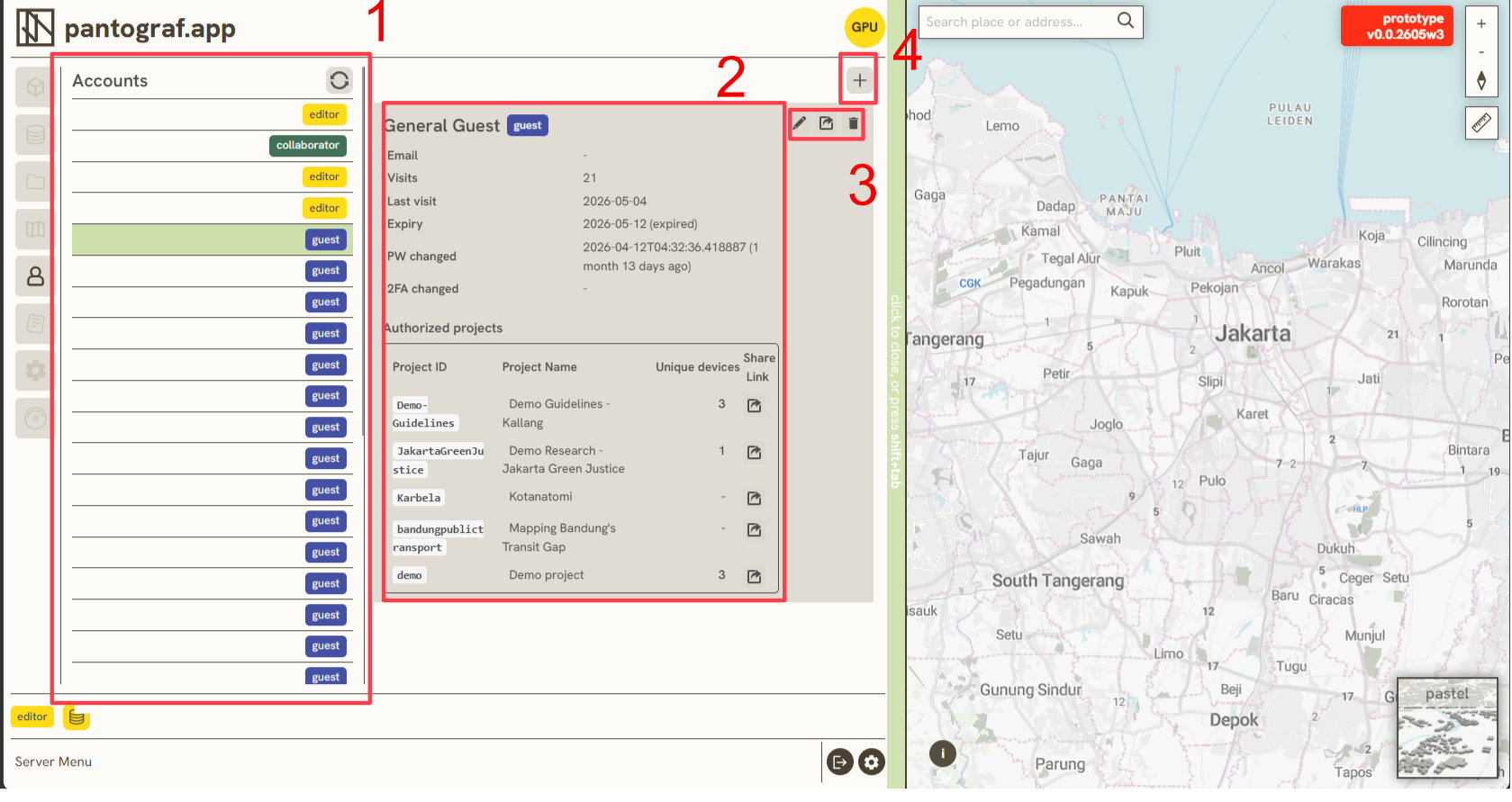
The Account Management tool includes four main areas:
- Account List: View and manage all user accounts and their login credentials.
- Account Details: Track user activity, including Visits, Last Visited, Account Expiry, Password Changed, and 2FA Status. The Authorized Projects section also displays the total number of active unique devices for each project.
- Account Actions: Edit account details, generate magic links*, or delete accounts.
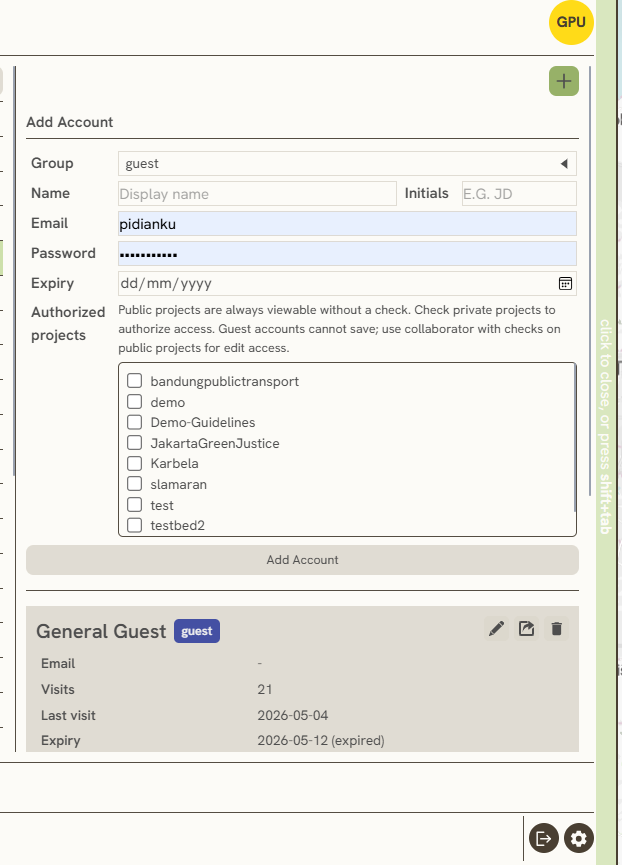
- Add Account: Click the Add button and fill in the following fields:
- Group: Select the account's permission level or credentials.
- Name & Initials: Enter the user's full name and initials.
- Email & Password: Enter credentials (optional).
- Expiry: Set an expiration date to manage the account's active time period.
- Authorized Projects: Select which projects this account is permitted to access.
Collaborator vs guest (v0.2)
| Group | View | Edit / save project |
|---|---|---|
| Guest | Public projects always; private only if checked | Cannot save project config or geodata |
| Collaborator | Same project allowlist | Can save on checked projects (layers, symbology, geometry, tools, docs upload) |
Public projects do not need a checkbox for view access. For collaborators, check each public or private project they should edit. Editors and admins retain full instance access without per-project checks.
Collaborators also see filtered datasource and docs lists limited to their authorized projects.
*Magic Links: A magic link is a secure URL that automatically authenticates and logs in a user with a single click.
Keywords
accounts, account, list, details, actions, add, group, name, initials, email, password, expiry, authorized, projects, 2 2 5